
BobDyn/BobLib
A Modelica library for representing the vehicle as an acausal multibody dynamic system with explicit geometry, constraints, tires, suspension, steering, chassis, and powertrain interfaces.

A Modelica library for representing the vehicle as an acausal multibody dynamic system with explicit geometry, constraints, tires, suspension, steering, chassis, and powertrain interfaces.

A local browser app and Python workflow runner that uses BobDyn/BobLib models to set up vehicles, launch studies, extract signals, generate plots, compute metrics, and produce reports.

The parent framework that connects physical modeling, automated simulation, analysis, reporting, and design correlation into one transparent workflow.
BobDyn models the vehicle as a hierarchy of physical systems. The structure is kept explicit so geometry, loads, constraints, and response signals can be traced from full-vehicle behavior down to subsystem assumptions.
This is central to the project philosophy: transparency starts with knowing where each piece of vehicle behavior lives in the model.
Start with BobDyn/BobSim for app-guided vehicle setup, simulation workflows, case execution, metrics, plots, and reports. Go to BobDyn/BobLib when you want to inspect, modify, or debug the low-level vehicle models directly.
Vehicles are dynamic systems, and the driver experiences their response rather than their equations. BobDyn is built around that idea: use meaningful response metrics, keep the model inspectable, and make every study traceable from configuration to report.
BobDyn/BobLib provides the physical vehicle model in Modelica. BobDyn/BobSim takes that model, runs repeatable studies, extracts signals, and turns the results into plots, metrics, and reports.
The result is a workflow for generating simulation ground truth that you can inspect, compare, and reuse across design iterations.
| Capability | Description |
|---|---|
| Standard tests | Run repeatable studies such as steady-state cornering, transient steering response, and kinematics/compliance workflows. |
| Automated reporting | Turn simulation output into metrics, plots, CSV files, and engineering reports without hand-built post-processing. |
| Model correlation | Use full-system simulation results as reference data for reduced-order models, design tools, and simplifying assumptions. |
| Design exploration | Sweep parameters, compare configurations, and see how physical changes propagate through vehicle-level behavior. |
The animations below are two input samples: one closed-loop PI control example and one open-loop prescribed-frequency input example.
Closed-Loop PI Input Sample
A proof-of-concept closed-loop PI radius-control input. It is not presented as a tuned controller.
Open-Loop Frequency Input Sample
An open-loop prescribed steering-frequency input showing the vehicle response under a commanded steering sweep.
The PDF reports below come from current BobDyn/BobSim StandardSim workflows. They do not reflect the input samples above; they are separate generated study artifacts rendered here for quick inspection, with direct PDF links available for a wider view.
SteadyStateEval Report
Ramp-steer velocity-isoline workflow with controller behavior, response traces, fitted handling metrics, and CSV-ready summary values.
TransientEval Report
Step-steer and sine-response workflow with gain, phase, lag, rise-time, and overshoot metrics from the same Modelica vehicle model.
The fastest user path downloads the BobSim desktop app from the GitHub Release, extracts it, and runs BobSim.
For source-checkout development, run the same app in Docker. You need Git, Make, and Docker. The BobSim image contains OpenModelica and Python:
git clone --recurse-submodules https://github.com/BobDyn/BobSim.git
cd BobSim
make init
make docker-build
make app
Then open http://127.0.0.1:8765 and follow:
Setup -> Save Vehicle -> Write to MBD -> Simulation -> Archive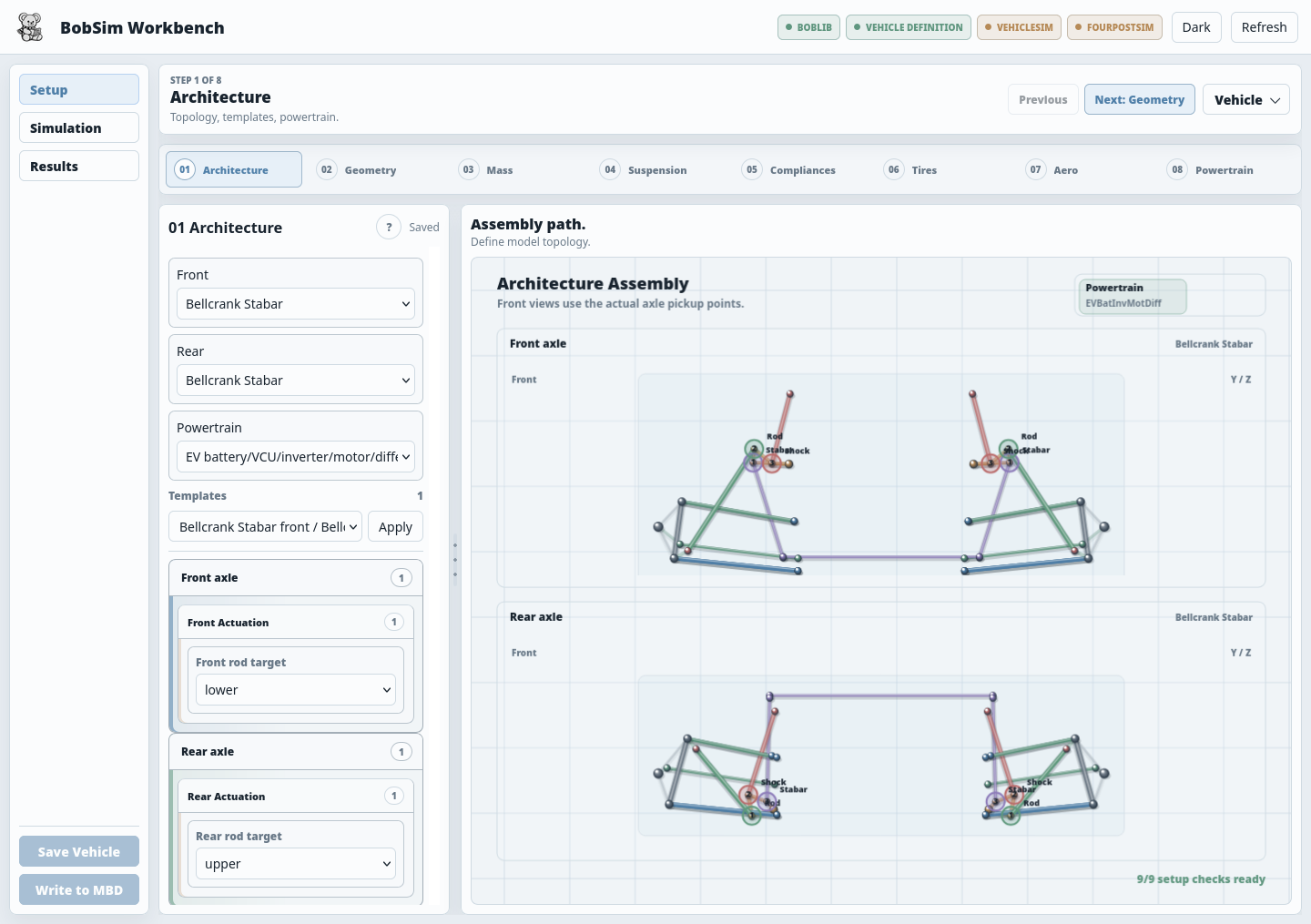
For a scripted release baseline:
make standard-eval-allThe standard-eval-all target builds the required Modelica executables when they are missing, then runs RampSteerEval, SteadyStateEval, TransientEval, and FourPostEval. The expected review artifacts are PDF reports and metrics CSVs under _3_StandardSim/generated_results/ and, for CLI-oriented configs, _3_StandardSim/results/.
BobDyn is built to eliminate black-box behavior through an explicit, inspectable, and reproducible simulation pipeline.
Physical models are defined from first principles
Geometry, constraints, and force generation are implemented directly in Modelica.
Configuration is human-readable
Vehicle records, test setups, and simulation parameters are defined in plain-text YAML and Modelica .mo files.
Execution is visible and scriptable
Simulation, extraction, analysis, and reporting workflows are implemented in Python and designed to be built upon, modified, or replaced.
Results are directly traceable
Outputs can be linked back to the model structure, configuration, and equations that produced them.
All models, solvers, workflows, and reports come from plain-text, version-controlled sources.