
Configuration
BobDyn/BobSim configuration is mostly plain YAML plus generated Modelica definitions and a small number of OpenModelica build scripts. The app is the normal editor for vehicle setup and runnable workflow options; the files remain plain enough to inspect and version deliberately.
Vehicle Source
The app manages vehicle setup as YAML, then writes the generated Modelica definition used by the standard workflows.
Common app vehicle paths:
_5_App/user_data/config/vehicles/
_5_App/user_data/workspaces/vehicles/<vehicle>/config/vehicle.yml
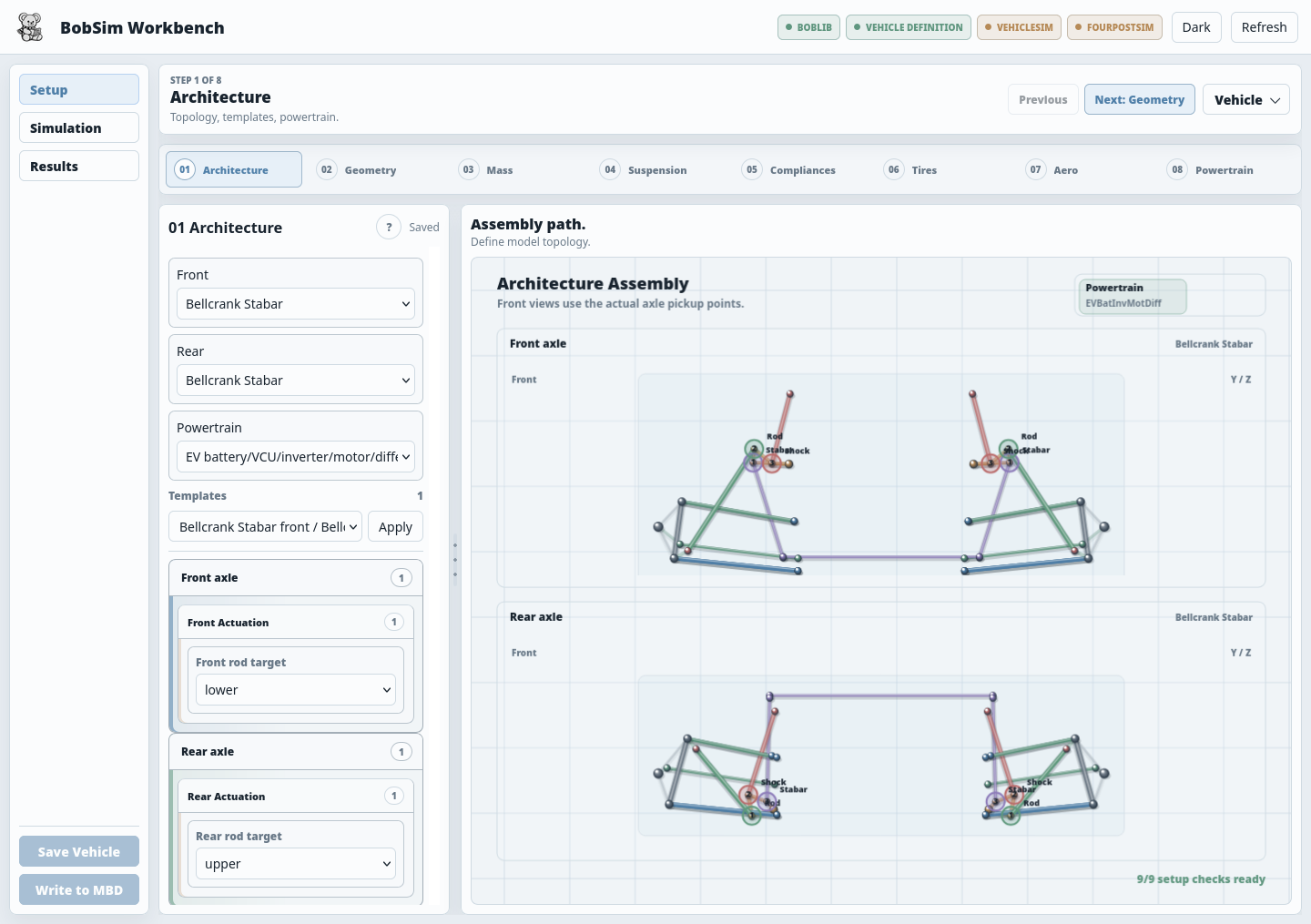
Use the Setup view to load, create, import, edit, save, and write the active vehicle. Use Write to MBD before opening Simulation; that is the step that updates the generated Modelica definition.
BobLib remains the physical model library and owns the standard entry-point templates. The standard build targets compile the selected Modelica entry points:
make standard-build
make standard-build-four-post
When changing the vehicle from the app, save the vehicle YAML and write it to MBD. When changing model structure directly, work in BobLib and keep BobSim workflow YAML focused on case definitions and runtime overrides.
App Configs
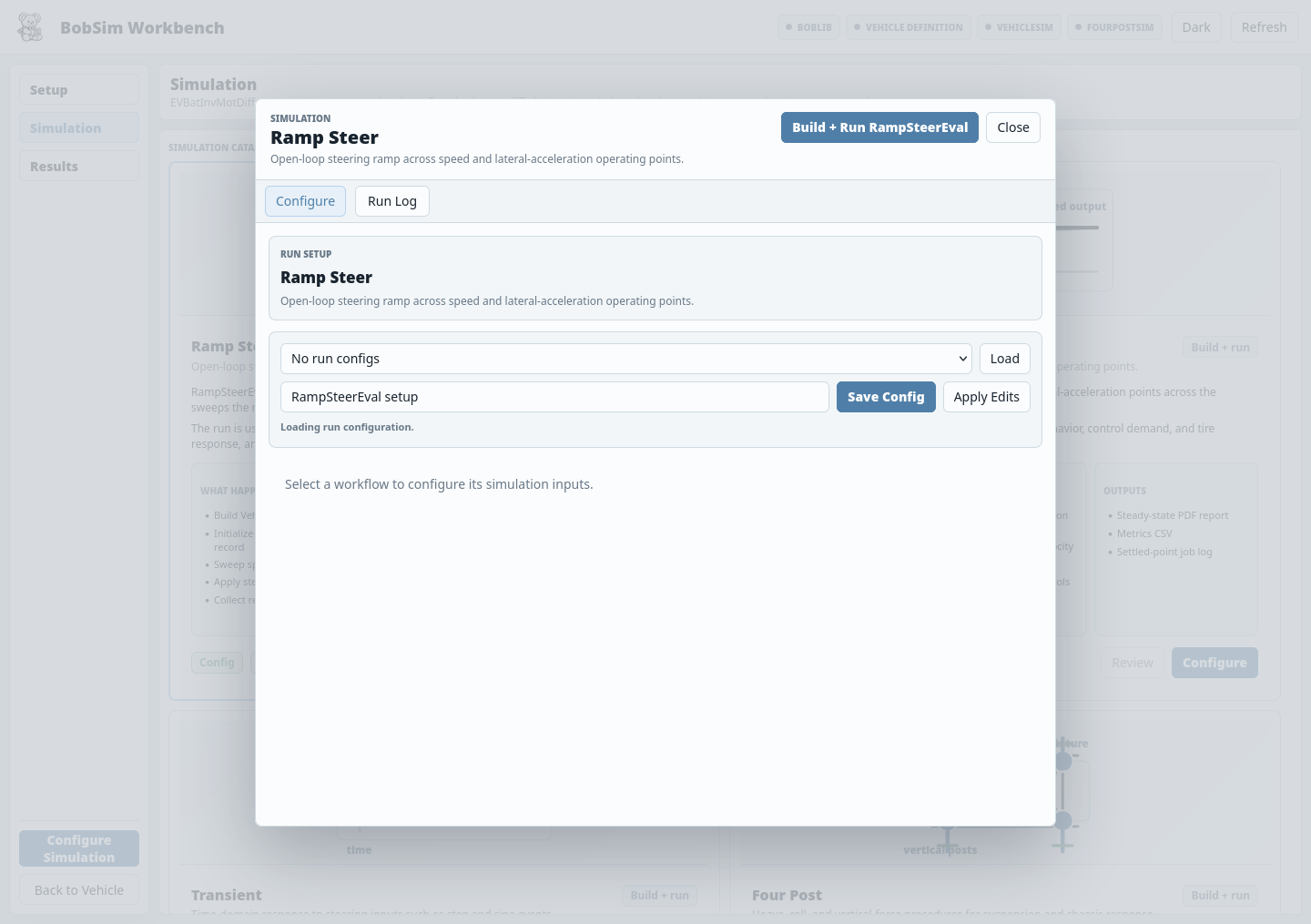
The app exposes supported workflow fields in the browser and stores reusable run configs under:
_5_App/user_data/config/simulations/Default app configs live in:
_5_App/sim_configs/_defaults/The app can load a default config, save a named config, apply edits to the active run, and then launch the backing workflow. Advanced options that are not exposed in the form can still be edited in the underlying YAML.
Standard Workflow Configs
The main standard configs are:
_3_StandardSim/RampSteerEval/ramp_steer_eval_config.yml
_3_StandardSim/SteadyStateEval/steady_state_eval_config.yml
_3_StandardSim/TransientEval/transient_eval_config.yml
_3_StandardSim/FourPostEval/four_post_eval_config.yml
They share a common shape:
| Section | Purpose |
|---|---|
standard | Workflow name used by report dispatch |
simulation | Executable path, solver, runtime flags, output settings |
execution | Parallelism, worker count, cleanup, log streaming |
sweep, test, or procedure | Workflow-specific case generation |
fit | Workflow-specific fitting and filtering |
report | PDF/CSV output paths, title metadata, summary controls |
plots | Plot pages, layouts, signal keys, labels, scaling, overlays |
Simulation Section
The simulation section tells BobSim which executable to run and which OpenModelica runtime flags to apply.
Typical shape:
simulation:
  backend: modelica
  build_dir: _3_StandardSim/BuildBobLib/VehicleSim
  exec_name: BobLib.Experiments.Standards.VehicleSim

  start_time: 0.0
  stop_time: 20.0
  solver: dassl
  tolerance: 1e-6
  output_format: csv

  log_level: LOG_STATS
  extra_args:
    - -jacobian=internalNumerical

  no_grid: true
  no_event_emit: true
Useful keys:
| Key | Effect |
|---|---|
build_dir | Directory containing the executable and init XML |
exec_name | OpenModelica executable name |
start_time, stop_time | Default run time bounds, unless a case overrides them |
stepSize or step_size | Optional OpenModelica output/integration step size |
solver | Solver passed as -s=<solver> |
tolerance | Runtime tolerance |
log_level | OpenModelica log flags passed with -lv |
variable_filter | Limits variables emitted to the result file |
extra_args | Appended runtime arguments, such as -jacobian=internalNumerical |
no_grid | Adds -noEquidistantTimeGrid |
no_event_emit | Adds -noEventEmit |
The current public StandardSim configs use -jacobian=internalNumerical for the OpenModelica runtime Jacobian path.
On Windows, the generated executable may have an .exe suffix. BobSim accepts both the suffix and no-suffix executable names when checking build readiness.
Compliance and Damping Studies
Halfshaft compliance and damping are valid study parameters in the integrated powertrain model. Increasing compliance detail can add faster torsional modes, so refine the simulation settings when studying these effects: reduce the default step size or output interval, keep the adaptive solver tolerance tight enough for the target dynamics, and confirm the solver is actually resolving the halfshaft transient instead of stepping across it.
Initial Parameters
Some workflows define common Modelica overrides under simulation.init_parameters. RampSteerEval uses this for handwheel ramp timing and termination logic. SteadyStateEval uses it for closed-loop target tracking, settle detection, termination logic, and velocity controller gains.
Example:
simulation:
  init_parameters:
    useMode: 0
    steerStart: 2.0
    handwheelRampRate: 0.14
    enableLinearityTermination: true
    linearityNonlinearityFraction: 0.20
    linearityReferenceAy: 4.0
    velGain: 100.0
    velTi: 2.0
Case-specific overrides are layered on top by the workflow before the runner writes overrides.txt.
Steady-state configs use useMode: 3 and generate target lateral-acceleration cases from sweep.targetAys. The optional sweep.maxAyByVelocity map clips that target grid per velocity before cases are built:
sweep:
  testVels: [12.5, 15.0, 17.5, 20.0]
  targetAys: [2.0, 3.0, 4.0, 6.0, 8.0, 10.0, 12.0, 14.0, 16.0, 18.0]
  maxAyByVelocity:
    12.5: 16.0
    15.0: 10.0
    17.5: 6.0
    20.0: 4.0
Leave caps in place for release-style runs that should complete cleanly across the default vehicle. Remove or raise them when intentionally probing the edge of the closed-loop solver envelope.
Execution Section
The execution section controls case parallelism and retained debug output.
execution:
  parallel: true
  max_workers: 4
  cleanup: true
stream_logs: false| Key | Use |
|---|---|
parallel | Run cases with ProcessPoolExecutor when true |
max_workers | Limit parallel case count |
cleanup | Delete per-case run directories after extraction |
stream_logs | Print selected solver/log lines while each case runs |
fail_fast | Stop on the first failed case when supported |
Set cleanup: false when debugging a failed case. That preserves run directories with overrides, logs, and result CSVs.
Report Section
The report section controls the public report artifact.
report:
  enabled: true
  brand: BobSim
  title: Ramp-Steer Vehicle Characterization
  subtitle: Measured-$a_y$ ramp-response isolines with robust metric fits
  output_path: _3_StandardSim/results/steady_state_eval_report.pdf
  metric_target_velocity_mps: 15.0
Common keys:
| Key | Use |
|---|---|
enabled | Skip report generation when false |
brand, title, subtitle | Title page metadata |
output_path | PDF output path |
metrics_csv_path | Explicit metrics CSV path when supported |
metric_target_velocity_mps | Velocity used for exported summary metrics |
notes | Human-readable assumptions shown in the report |
summary_units | Per-metric unit and scale overrides for FourPostEval tables |
Plots Section
Plots are declared in YAML and rendered by the shared plot engine.
Layouts used by the standard workflows include:
singledualtriplequad
Each plot maps result dictionary keys to axes:
plots:
  freq_response_gain:
    layout: dual
    title: "Frequency Response - Gain"
    xscale: log
    subplots:
      - title: "|a_y / delta_HWA|"
        x: { key: freq, label: "f [Hz]" }
        y: { key: ay_gain, label: "|a_y / delta_HWA|" }
Use scale when a signal needs unit conversion for display.
Build Scripts
The active OpenModelica build scripts are:
_3_StandardSim/build_vehicle_sim.mos
_3_StandardSim/build_four_post_sim.mos
They load the BobLib submodule package, set OpenModelica command-line options, ensure the target build directories exist, change into the build directory, and call buildModel(...).
Prefer make targets over direct omc calls:
make standard-build
make standard-build-four-post
Current build outputs are written under:
_3_StandardSim/BuildBobLib/VehicleSim/
_3_StandardSim/BuildBobLib/FourPostSim/
The BobSim app also exposes an OpenModelica toolchain selector in the Simulation area. It auto-detects common installs, and lets you choose the omc executable plus the OpenModelica library directory when auto-detection is not enough.
Envelope Configs
EnvelopeSim is an optional, separate implementation of common GGV/YMD-style envelope calculations. Its configs live under:
_2_EnvelopeSim/GGV/ggv_config.yml
_2_EnvelopeSim/YMD/ymd_config.yml
Run them through:
make envelope-ggv
make envelope-ymd
make envelope-all
EnvelopeSim reads the same active vehicle data and uses the latest useful standard-study metrics when available. It is intended as a sane, transparent implementation that can be used when desired, not as the canonical envelope reference for BobDyn.
OptSim Configs
OptSim is split by workflow:
_4_OptSim/StandardSens/
_4_OptSim/EnvelopeSens/
Key StandardSens configs:
| File | Role |
|---|---|
_4_OptSim/StandardSens/configs/vehicle_architecture.yaml | Human-edited architecture and sweep source |
_4_OptSim/StandardSens/configs/_doe_config.yaml | Generated DOE config |
_4_OptSim/StandardSens/configs/compiler_config.yaml | BobLib path, standards, OMC settings, batch timeout |
_4_OptSim/StandardSens/configs/aggregator_config.yaml | Metric extraction map |
_4_OptSim/EnvelopeSens/config.yml | Envelope sensitivity config |
Run:
make opt-standard
make opt-envelope
make opt-refined
Common Changes
To change the active vehicle:
- Edit the relevant BobLib Modelica record or subsystem redeclare.
- Run
make standard-buildormake standard-build-four-post. - Rerun the relevant study.
To change a standard study:
- Edit that workflow's config YAML.
- Rebuild only if the Modelica source or selected vehicle record changed.
- Run the workflow target.
- Inspect the report and metrics CSV.
To change a report page:
- Edit the workflow's
reportandplotssections for configuration-only changes. - Edit
_0_Utils/reporting/or_0_Utils/plotting/for report engine behavior. - Rerun the workflow.
To change a sensitivity sweep:
- Edit the relevant OptSim config.
- Run
make clean-optif the sample set or variable dimensions changed. - Run the matching
make opt-*target.